

EVision Power Bi Functionality & Benefits
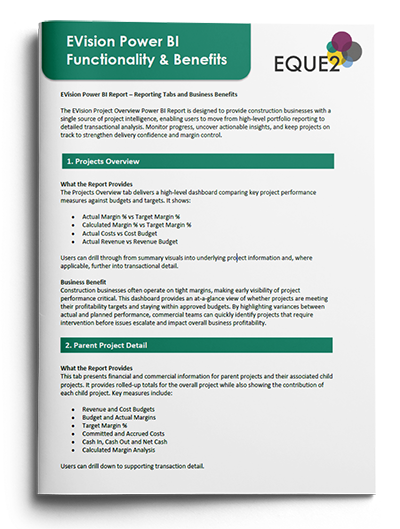
You may have already seen our latest Power BI reports for EVision, which are designed to give you a clearer view of project performance through a series of easy-to-navigate dashboards.
To help you better understand the reports and where they can support your day-to-day project, commercial and financial reporting, we’ve put together a short guide that explains what each tab covers, the information available, and how teams across the business can use it to:
- Track project costs, commitments and performance in real time
- Identify commercial risks before they impact project profitability
- Turn project data into actionable insight.

Early Warning Reports with Power BI: Improve Financial & Commercial Control Across Construction Projects
Now, see the reports in action with a live demonstration from Business Central Dynamics 365 Specialist Sajid Chaudry.
In this session, he’ll walk through the latest Projects Reports in Power BI, showing how commercial and finance teams can use them to monitor project performance, track costs and commitments, identify potential risks earlier, and gain a more connected view of project data.
- Spot margin and cost risk early — Variances and overruns highlighted as they emerge, so you can act before they impact the project.
- Stay in control of cash and exposure — Full visibility of retentions and subcontractor position, so nothing is left to chance.
- Trust every number and prove it instantly — Drill straight to the source behind any figure, with full traceability across the project.




































See how Eque2 works for YOUR BUSINESS.
Book a call with a construction software specialist. We’ll show you the product live, mapped to where your business is now and where it’s going next.