


Built on the platforms you trust
Microsoft | Sage | Xero
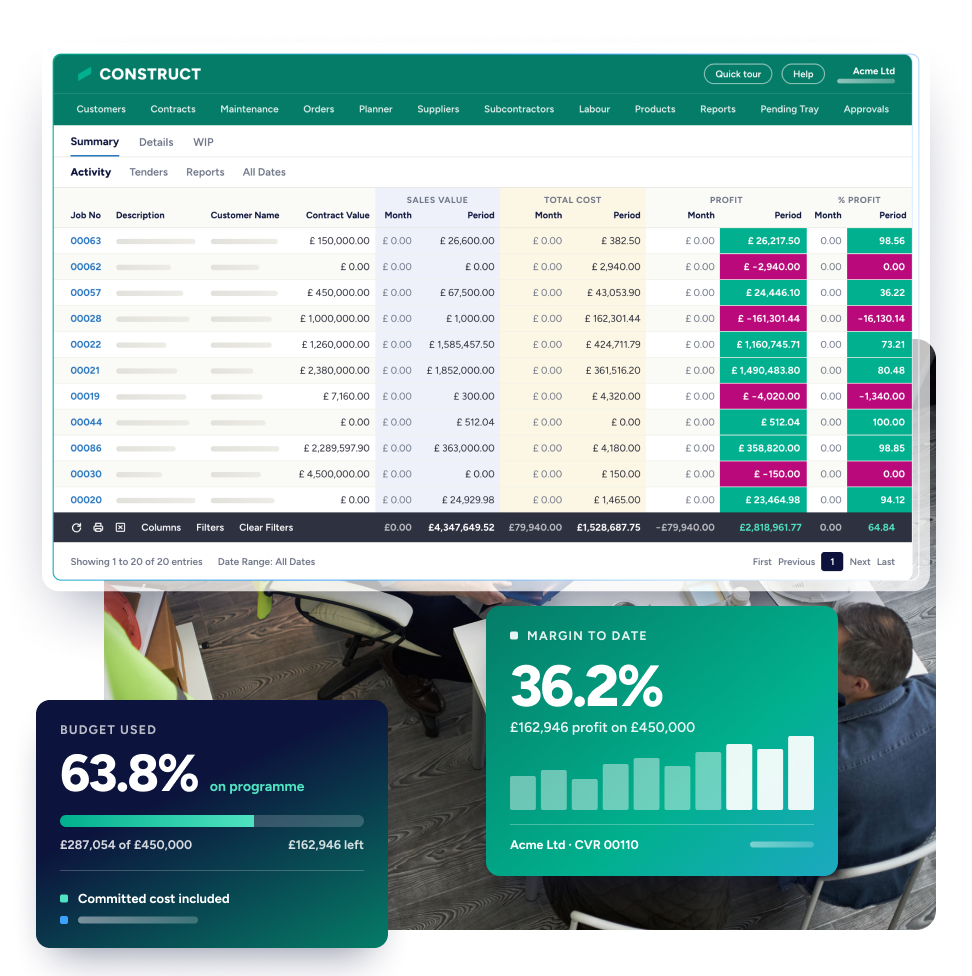
Job costing software that tracks cost against budget as the work happens. You see whether a job is making money in time to do something about it, rather than weeks later once the reports have been collated.




























































The gaps small finance and commercial teams find when handling job costing and contract management alongside Sage or Xero.
Commercial teams run jobs in disconnected spreadsheets. Finance must reconcile those costs back into the accounts package by hand, which is heavy work for a small team and duplicates effort across it.
Sales and purchase invoices sit across emails, paperwork and the accounts package, so what has been approved, billed and paid is hard to pin down.
Working across multiple jobs and different types of work, finance and commercial teams find it diffcult to proactively report on jobs. Directors find it diffcult to see where you make the most money and what type of work loses it.

One connected flow from the budget you set to what the job is really costing you.


Book a 30-minute call with a construction software specialist. We’ll show you the product live, mapped to where your business is now and where it’s going next.
The capabilities small teams use to hold cost on the job, with the screens they work in.
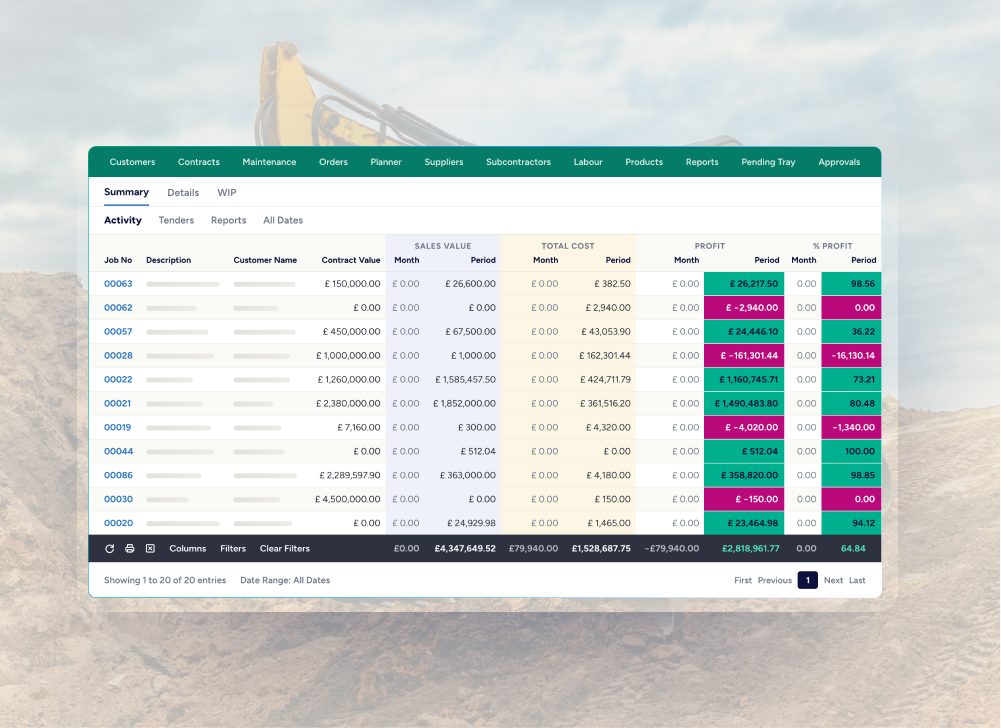
A central view of sales value, total cost and profit against each job. You monitor progress in real time and stop jobs running past budget.
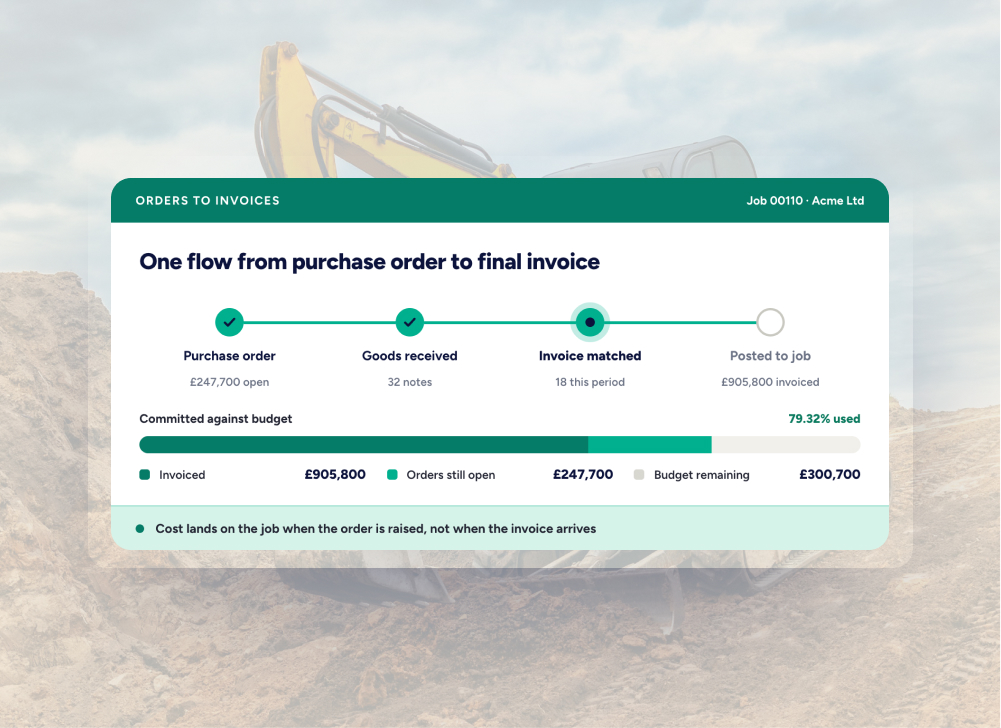
Purchase orders and invoices run through the same system, so you track a job from start to finish and see how costs are building up live to stay within budget.
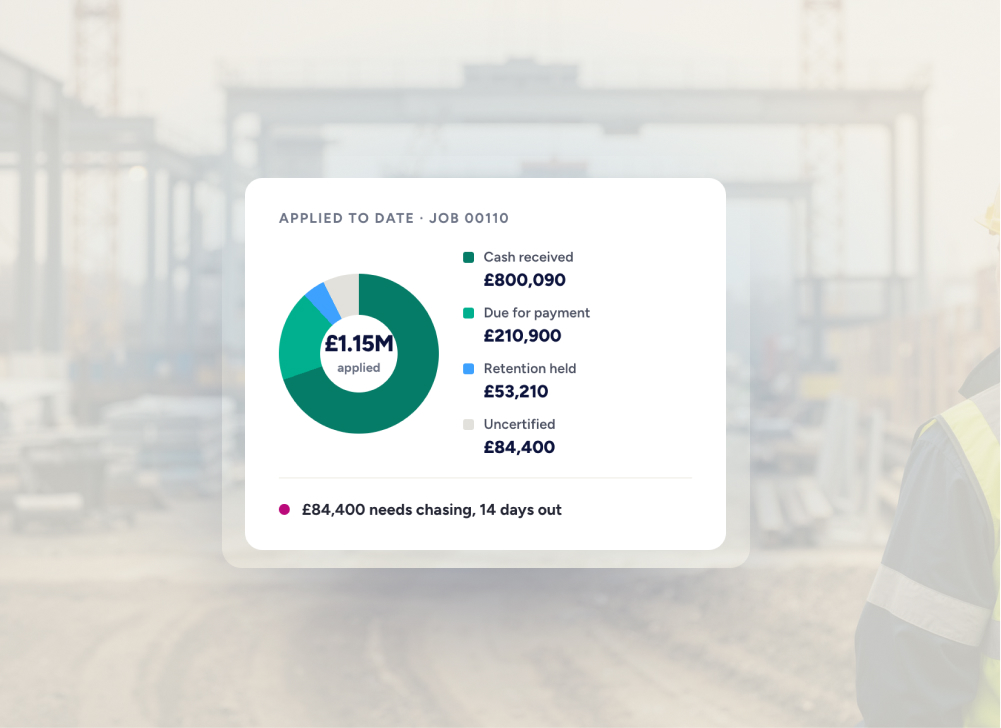
Manage the client billing process from application through to retention. Every application, certification, invoice and retention sits against the live job.
Direct and subcontract labour cost is tracked against the job, with the correct rates and hours applied.
Team members and site managers submit their time through a mobile app. The cost flows back into the system without anyone touching a paper sheet.
Online HMRC verification, automated CIS and reverse charge VAT deductions, and return submissions.
Job profit reports built from live cost and sales values, so what you read is a true reflection of how the job is performing.
.avif)

See how you can introduce job costing software alongside your current accounts platform.
Job costing, commitments, applications and commercial reporting alongside your existing accounting, with approval limits that hold before spend affects the contract.


Spreadsheets tell you what happened. Construct helps you manage what is happening now. In spreadsheets, job costs and information sits across multiple files, gets updated by hand and is prone to error. Construct connects costs, dayworks, retentions, procurement and financial data in one place. You see project performance in real time and make decisions while you can still stay within budget.
Yes. Construct is fully integrated with Sage 50, Sage 200, Sage Intacct, Sage Payroll, Xero Accounts and Xero Payroll. You post data from Construct into your accounting system, so information keeps flowing and nobody reconciles it out of spreadsheets.
Yes. A business turning over £100k can start with the standard option. From there it progresses through the product range as its needs get more complex and it needs more control over cost.
Watch a demo and see cost building against a live job, from purchase order through to application and retention. If you would rather talk it through first, request a call.