

Built on the platforms you trust
Microsoft | Sage | Xero
Construction procurement software that connects purchase orders, approvals, deliveries and invoices to live project cost. Committed spend is visible against the job and the cost code the moment an order is raised.























Construction procurement works differently. Most contractors don't have the storage to keep materials on or off site, and they don't own all the plant a job needs. Materials go direct to site, and plant is hired for the days required. The supply chain is what keeps the project moving.
Without a system, procurement runs on spreadsheets or an isolated tool. You are relying on someone to update the sheet when new pricing lands. If they do not, better pricing gets missed and never reaches the next bid.
A delay to plant hire, materials or a specialist contractor coming to site damages the project. In some cases you are in breach of contract and pick up fines for it.
Procurement owns the relationship with every vendor and supplier the business works with. Without a consistent, accurate view of them, negotiating new contract terms or better pricing is difficult.
External plant hire is a large cost on the project. Handled by paper-based systems or across disconnected tools, plant off-hire dates can easily be missed or go over budget.
Procurement is where plant, material and supplier cost sits. When actual and committed cost have no connection to finance and only get reported at month-end, the final account takes the damage.
Committed spend is the first sign a job is drifting. If it only reaches finance at month-end, the decision that could have changed the outcome has already been made.

Not a new system to learn. One connected flow from raising the order to controlling what the job commits.


Book a 30-minute call with a construction software specialist. We’ll show you the product live, mapped to where your business is now and where it’s going next.
The capabilities procurement teams use to control committed spend, with the screens they work in.
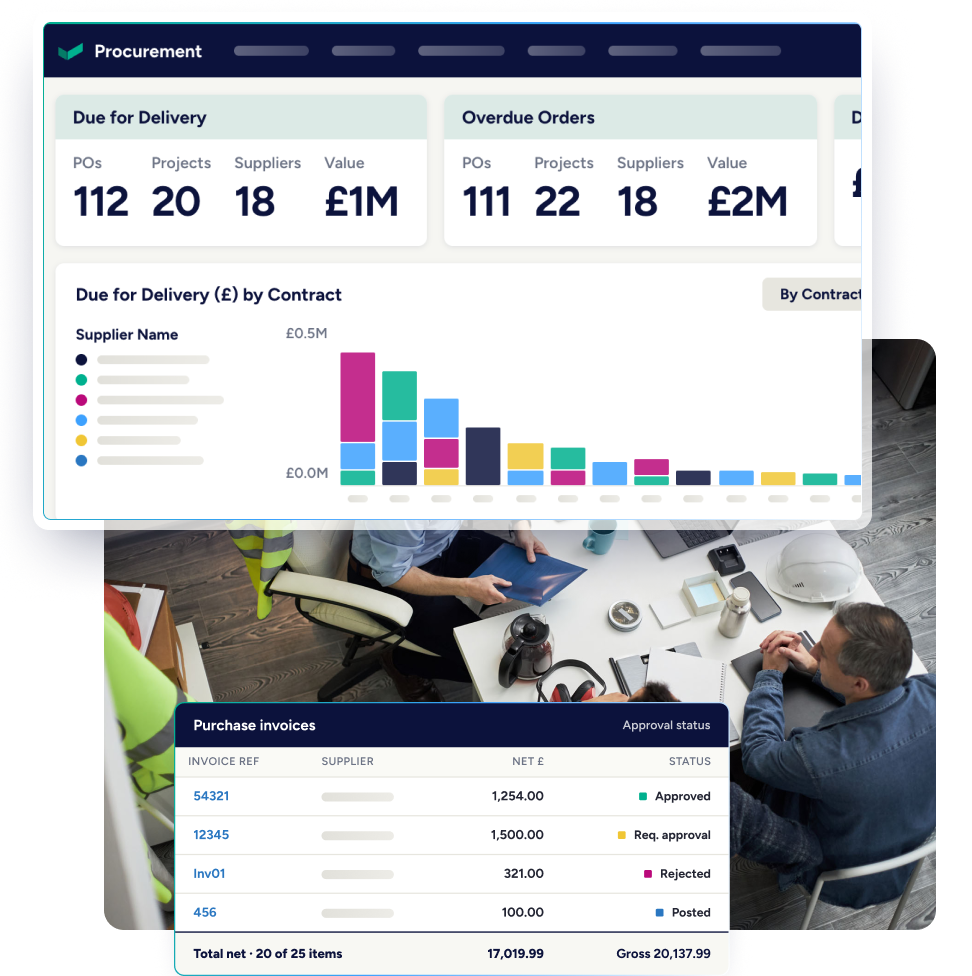
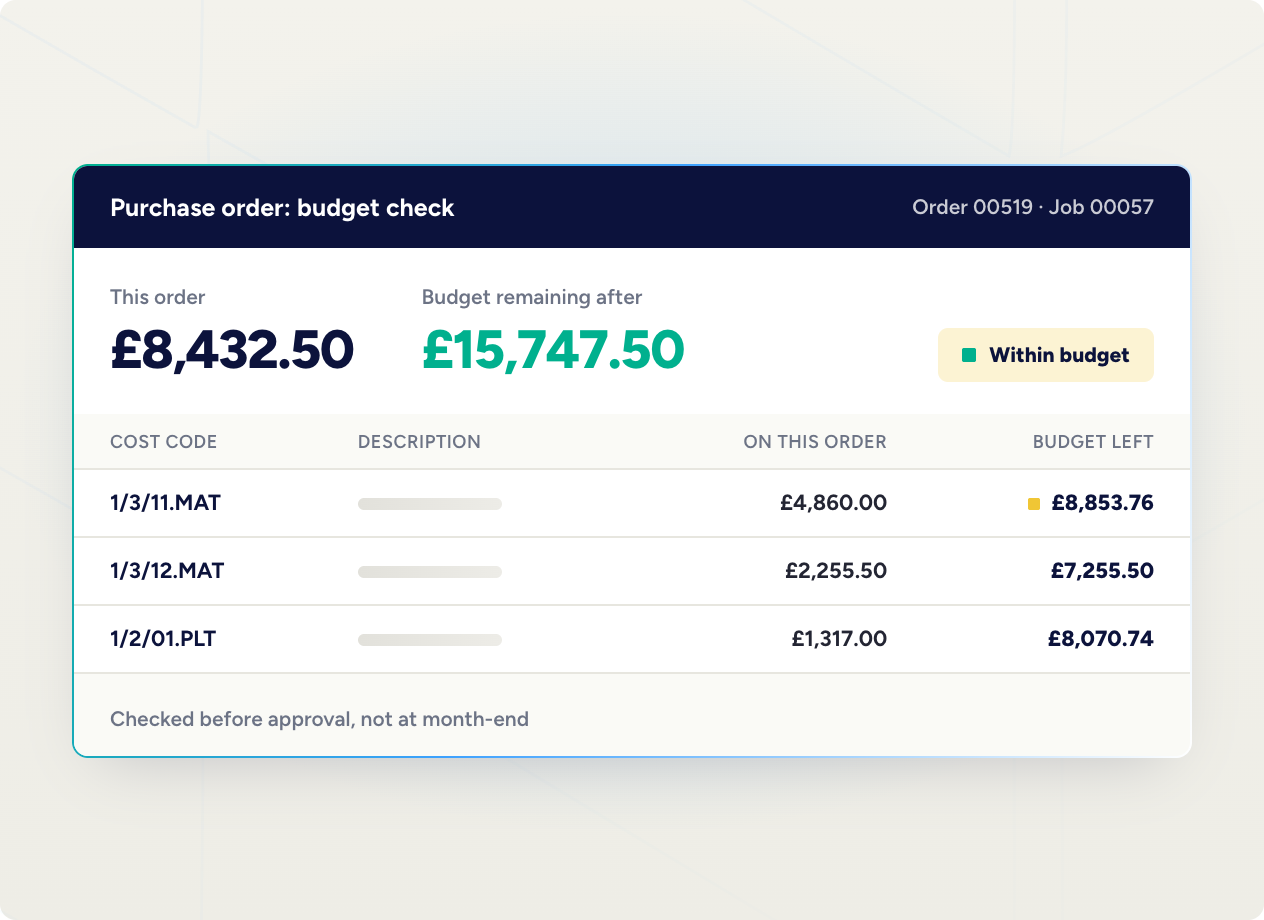
Raise, approve and track purchase orders and invoices against a specific job and cost code. Budget visibility happens when the commitment is made, rather than after month-end reporting.
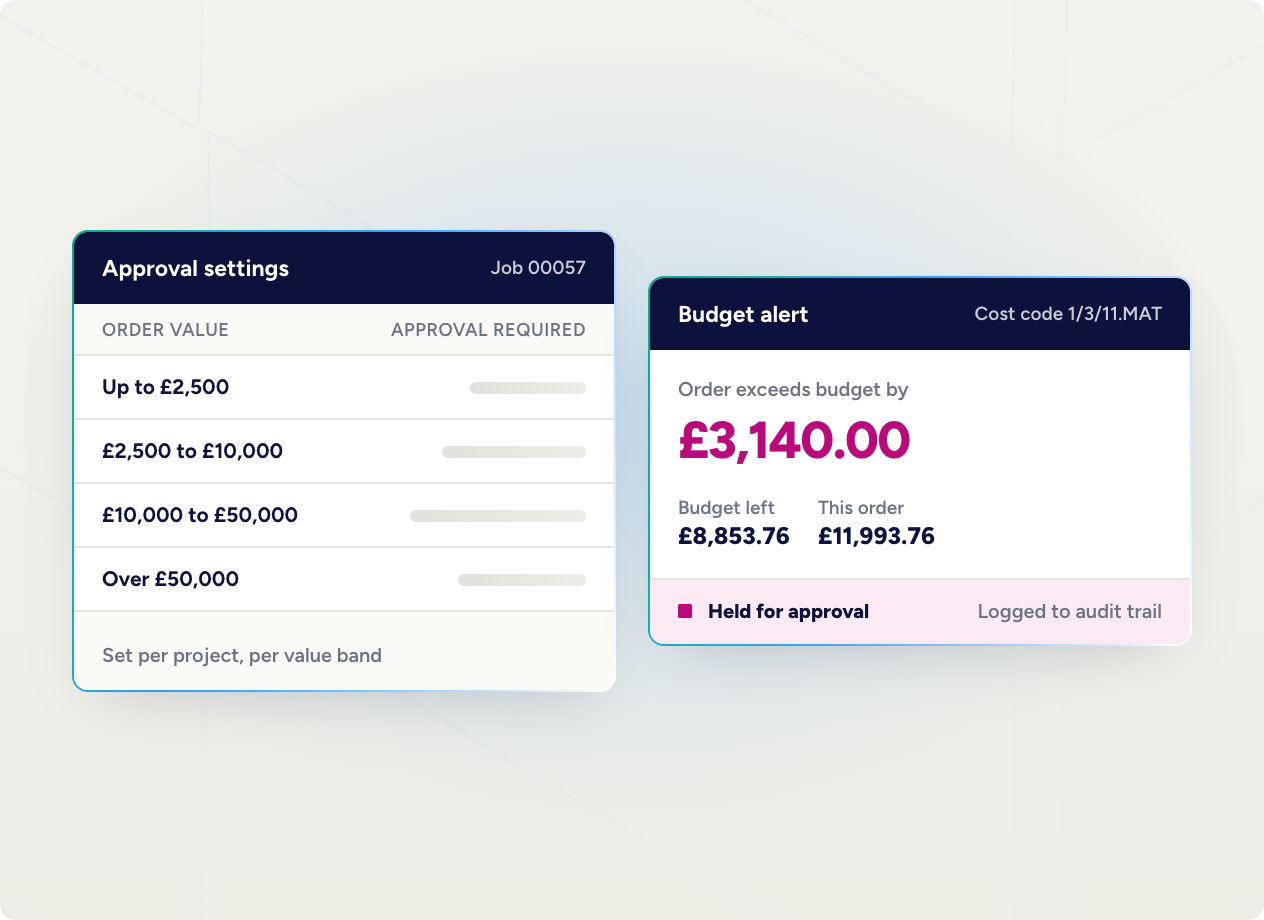
Project-specific, value-level approval settings let you control company expenditure and keep projects inside budget. Automated alerts notify users when budget is exceeded, helping prevent over-ordering and build a clearer audit trail for committed spend.
Create plant orders straight from Construct and the system accrues plant cost against the live contract. Match purchase invoices to plant orders against the contract to catch potential overcharges. Track the location of plant items by job, supplier and project manager, so you can see what needs off-hiring.
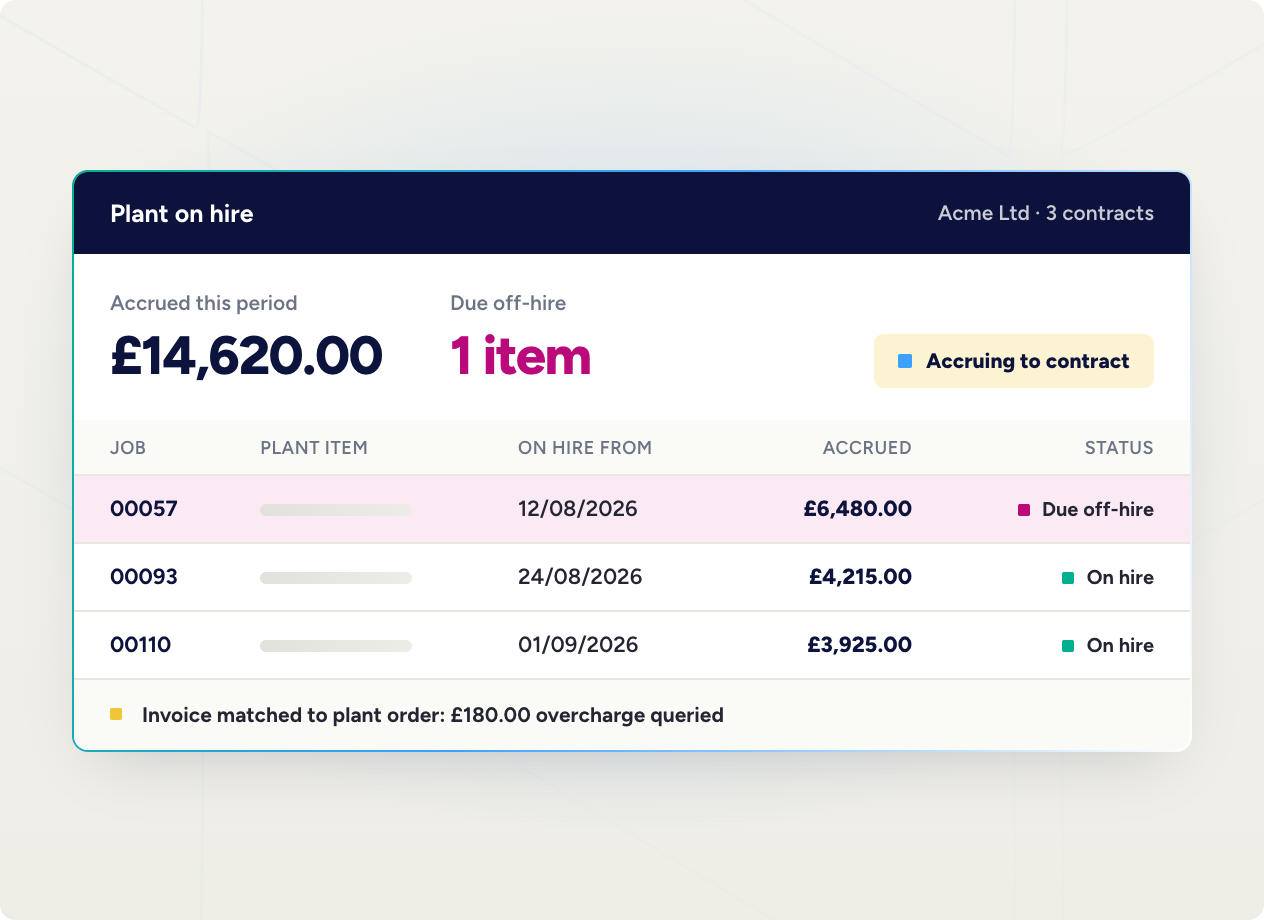
A high-level view of your own plant. It flags hire that has run past the initial contract date, and items needing service, MOT or repair. Purchase quotes, orders and invoices sit against each item, and an internal plant library shows what is out on site.
Delivery notes are logged from site against orders, which updates accrued project cost. Those are then three-way matched to invoices for actual cost postings.
Goods received notes connect to the purchase order in real time, with quantities and attachments added. Procurement can have a proper conversation with the supplier when a delivery is late, short or damaged.
Site agents submit a material or plant requisition straight from site, picking the product from the item library. Add the quantity, vendor and required delivery date. Available in Evision.
.avif)

Our construction procurement software is part of Evision. Manage everything in one place.
The same cost model across multiple companies and locations, with CVR version control and consolidated commercial reporting for the group.

Job costing, commitments, applications and commercial reporting alongside your existing accounting, with approval limits that hold before spend affects the contract.
Evision connects purchase orders, approvals, deliveries and invoice matching to the live project cost position. Commitments are visible against the job and cost code at the point they are raised. Nobody rebuilds the position later from spreadsheets, inboxes and separate finance records.
Yes. Purchase orders can be approved remotely, so projects keep moving without waiting on paper-based or office-based approvals. Teams have visibility of live project costs and commitments wherever they are working.
Yes. In Evision, subcontractor enquiries and quotations are managed in the same system as the subcontract ledger. Agreed rates carry through from enquiry to order to payment.
Yes. Purchase orders update the committed cost position on the contract in real time. Materials, plant and subcontractor costs all sit against the job as well.
Book a demo and we will walk through how orders, approvals, deliveries and invoices reach your project cost today, and where the delay is sitting. If you would rather look first, take a product tour.